Showing posts with label minecraft. Show all posts

Thursday, September 28, 2023

Using @AdobeExpress For Presentations #MakerEd #AdobeEduCreative

I just had to share this amazing video a student created for Innovation and Design class. The 6th grade class was tasked with building their teacher (me) a house based on his answers to their questions. The goal of the assignment was to emphasize the value of asking questions and understanding the problems people might be dealing with on a regular basis. Once the students created the house, they needed to create a presentation to showcase their work. Below is one example a student submitted. The student used Adobe Express and the Animate from Audio feature to give a guided tour of the space. Better yet, when they showed it off in class, other students asked for help with their presentation so they could use Animate with Audio as well. 


Adobe Express is a great tool for teachers to use to building dynamic lessons and wonderful graphics, but it is even better in student hands. Giving the students the opportunity to work with tools that allow them to enhance their artifacts to demonstrate their understanding of concepts can lead to wonderful creations. The day after the project was submitted, I saw two students working on a project about Neanderthals on Adobe Express. Traditional slideshows are boring and tend to be an image with a monologue written next to it. Express allows students t=many different approaches to sharing their learning and that is why it is an important part of my class. 

If you have any questions about Adobe Express, please reach out and I am happy to help. 

Hugs and High Fives, 

NP

Monday, March 6, 2023

Using Minecraft to Design Amusement Parks @PlayCraftLearn #MakerEd

My Innovation and Design class has been a work in progress since I created it in 2020. Lots of ups and downs as I tried to figure out the balance of all of the different types of projects I wanted students to explore over the course of the trimester. I feel like I finally landed on something that is working and I wanted to share it here. 

I wanted students to think big for their Minecraft project but felt like I never had the time to give them because of the other projects. I also noticed that there are some projects that require waiting and do not take the entire class period. For example, making the cutting boards requires wait times as boards are cut and glued together. I don't want students just sitting and waiting for projects to glue, so I realized that a long-term Minecraft project might be the thing I have been looking for to solve my time problem. In retrospect, it is a pretty simple solution to the problems I was having, but, sometimes, things just take longer to click. 

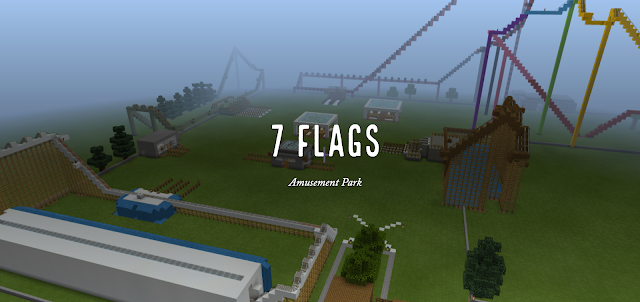
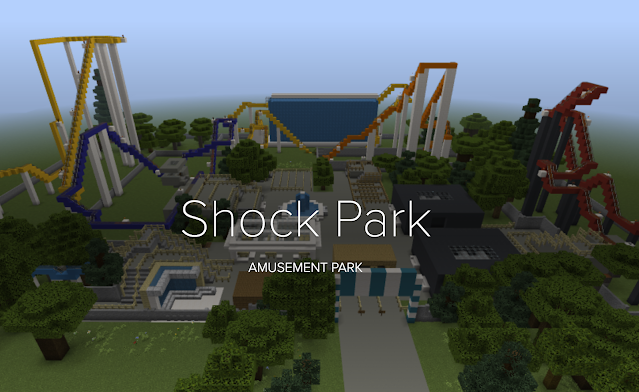
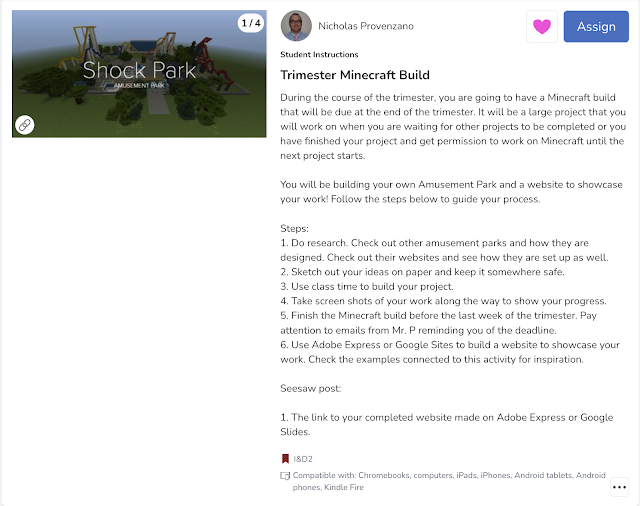
I introduce the Minecraft assignment to students at the start of the trimester and let them know it will be due at the end of the trimester. Students will be given days during the class to work on it, but they will also have time in other classes when they are waiting for projects to print on the 3D printer, be cut on the laser cutter, or finish glueing. These times will keep them active in the design and build process while waiting for other projects to finish. I rolled this out for the past trimester and I think it worked very well. Students worked here and there on their build and created some amazing projects. I think I would give more in class time on the assignment as some students felt rushed at the end, but that might also be just Middle School time management issues. The start of the third trimester will give me a chance to tweak anything as I have another go at the approach. Below you will find the activity I assign on Seesaw and a few of the completed projects you can click on and will be taken to their sites. Some students used Adobe Express to create a website and others used Google Sites. 


The Google Sites created below can only be accessed by students and staff from our school. 
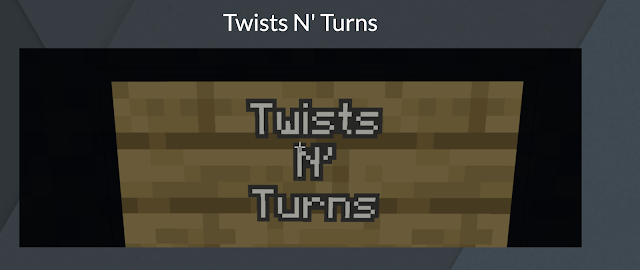

The students were excited to showcase their work and there were great conversations about what goes into a website that is trying to sell people on what they have to offer. Spelling and grammar conversations were had as students talked about what a website that is filled with errors might say about a business. Most of all, time management was a big part of the conversation since many students planned for something much bigger, but underestimated the time it would take to complete much of their park. My class is about failure as much as it about design and creation. Learning those hard lessons on time management and completing tasks in a timely manner are tough lessons to teach, but learning them in an environment where they do not have to be afraid of failing their assignment or class because they tried something big is important to me. (My class does not have homework or grades to push student to try big ideas and see how they work.)

Like many other teachers, I know that my class is a constant work in progress, but I wanted to share this win because sharing good things once in a while is good for a teacher's soul. 

Hugs and High Fives, 

Nick

Wednesday, April 15, 2020

Sorry @zbyronwolf, @PlayCraftLean is an Educational Tool #MakerEd

I was reading an article on CNN today that was about schools and their role in "opening the economy" today. There was a part of the piece, that is overall well written, that annoyed me.

Zachary B. Wolf wrote,

"Education Week has maintained an interactive map of school closures since the beginning of this thing, and that map suggests that nearly every American school kid is not currently in school. It charts around 124,000 school closings affecting more than 55 million American kids.
What are all those kids doing? They're supposedly distance-learning or homeschooling, taking screen lessons or self-teaching. (Let's get real. A lot of them are playing Minecraft or making TikToks.) (Emphasis mine) Just like the American education system on any given day, the coronavirus closure is a massive patchwork." 

What this shows is a basic misunderstanding of what Minecraft is and can be for students and for teachers. There are problems with these type of flippant remarks. 

1. On a very large platform, it invalidates the value of Minecraft Education Edition. People can look at that and have it inform their opinion on the tool. If it was a critique of the tool, then it would be fair, but that is not what it was. It lumped Minecraft in with TikTok which has a reputation of being a waste of time by older generations. 

2. It makes the job harder for teachers to introduce these tools in the classroom to administrators and teachers because it has a reputation and not being productive and this line adds to that misunderstanding. 

3. To put it bluntly, it's ignorant. Mr. Wolf clearly does not have an understanding of the value of Minecraft in the classroom and was looking for a pithy statement.

On top of it all, it takes away from the hard work students are doing in their homes every day thanks to teachers and parents working hard to provide some semblance of learning in this tough time. I have students that show up to class and are designing and making amazing things. They are teaching themselves or learning from their parents on how to create things they design. It is amazing. Not every students in engaged at the level everyone would hope, but that is problem schools face in person, not just online. 

I hope Mr. Wolf will take the time to either remove that line from the article or take some time to actually talk to teachers engaged in remote learning and that are using a wide variety of tools to support instruction. I'm happy to connect if Mr. Wolf is. 

To all of you teachers out there using Minecraft Education Edition, please share with @zbyronwolf the many different ways you are using it to support our students. Keep being awesome out there and reach out if you have any questions. 

Socially Distant Hugs and High Fives. 

Tuesday, September 24, 2019

Using @PlayCraftLearn and @SeeSaw to showcase Design Thinking #MakerEd

I'm excited to showcase some student examples from the project that I created for my design class. These examples come from students in grades 6-8. First, I'd like to share the steps that were taken to get to this point in case anyone would like to mirror the project. Note: We are on a block schedule, so I see students for 75 minutes every other day, so feel free to adjust the timing to meet your needs.

Step 1:

I ask students to build be a house in Minecraft. They are not allowed to ask me questions or work in groups. They have 20 minutes to build me the best house I could ever have.

Step 2:

Students showcase their builds and I provide honest feedback on what I do like and what is not for me.

Step 3:

I asked students if they could do a better job if they asked me questions and they said they could. I gave them about 10 minutes as a class to ask questions to help them better understand what I would like in a house. Then they were allowed to build another house or edit the one they had already built.

Step 4:

Once students have built the second house, I pass out a form similar to the one created by the Stanford d. School for the Wallet Design Thinking Challenge. You can find it here. I go over the full design thinking process with students and we discuss how creating something for someone without asking them is a terrible way to create. We walked through the full process to understand each part of the design thinking path.

Step 5:

Once the students have a strong understanding of the Design Thinking pathway, I give them the Vacation Home assignment. They are asked to pair up and design a vacation home that is perfect for their partner. They need to use a copy of the Design Thinking handout to guide their process.

Step 6:

After completing the interviews and drawn rough drafts, students can use Minecraft to create the vacation home.

Step 7:

Once the students have built a vacation home they like after a couple of days, they present it to their partner and get feedback. They have half a class to change anything they want and share with their partner for one last time.

Step 8:

Once the final piece has been shared, students are requested to take at least 3 photos of their build and write a minimum of three sentences in a caption that explains what was built and why it is was built of their partner.

Step 9:

I provide feedback on the private SeeSaw posts in the comment section where we can have a dialogue on what they created and how it might be improved. (I have shared with SeeSaw that I wish the projects could be shared publicly for other students and the exchange between student and teacher would remain outside of the public view for our eyes, and parents eyes, only.)


That is the process of using Design Thinking and Minecraft to build a vacation home for a peer. Here are just a few examples of what students have submitted.


These are just a few of the builds that students have created for this project. Not having grades did not mean students were not going to try. Not having homework did not mean that the students would not work on this at home. Students put in more effort because they were free of grades and worked on the project at home because they were engaged in the creative process. 

By bringing Minecraft Education Edition and SeeSaw together, students were able to engage in the Design Thinking process and showcase their work in a space that allows to have a dialogue about their work and document that for their portfolio. The focus is always on growth and learning. Using Minecraft and SeeSaw together help make that possible 

If you have any questions, please feel free to drop me a line on Twitter @TheNerdyTeacher and check out my Instagram for more creations from students. 

Beyond the Poster Board: Project Based Learning in the English Language Arts Classroom is a book is all about the different ways that an ELA teacher can integrate Project Based Learning into their classroom. Order on Amazon today!